Using the Ohio Benefits Self-Service Portal
Your guide to preschool financial assistance

Financial assistance for preschool is available for 3- and 4-year-olds.
To access it, families need to complete an application through Ohio's Benefits Self-Service Portal. We know that process can feel confusing. PRE4CLE is here to make it simple.
We won't sugarcoat it — the application involves a few steps and some paperwork. But you don't have to figure it out alone. This page walks you through everything, in plain language, step by step. And help is available at every stage.
Before you apply
Find your preschool and know your deadline.
Before you start your application, you'll need to know which preschool your child will attend and when to apply. Every preschool has its own enrollment window, so check with your preschool for their specific dates before you begin.
Let's get started
on your child's funding application
Set Up Your OHID Account
OHID is a free, secure login used to access Ohio government websites, including the Ohio Benefits portal. You will need one to complete your preschool eligibility application.

Apply for Preschool Funding
Once you have your OHID account, you are ready to apply for preschool funding through the Ohio Benefits Self-Service Portal (OBSPP). The Ohio Preschool Program (OPP), Publicly Funded Child Care (PFCC), and the Child Care Choice Voucher (CCCV) all help cover the cost of your child's preschool seat.

Watch for a Response from Cuyahoga County
After you submit your application, the county has up to 30 days to make a decision. Watch your mail, email, and Ohio Benefits account for updates — and respond quickly if the county asks for additional documents.
Wait for Authorization
Once you are approved, your child's preschool will be notified and authorized to receive funding on your child's behalf. Your child is then ready to start their preschool program.
Step 1
Set up your OHID Account
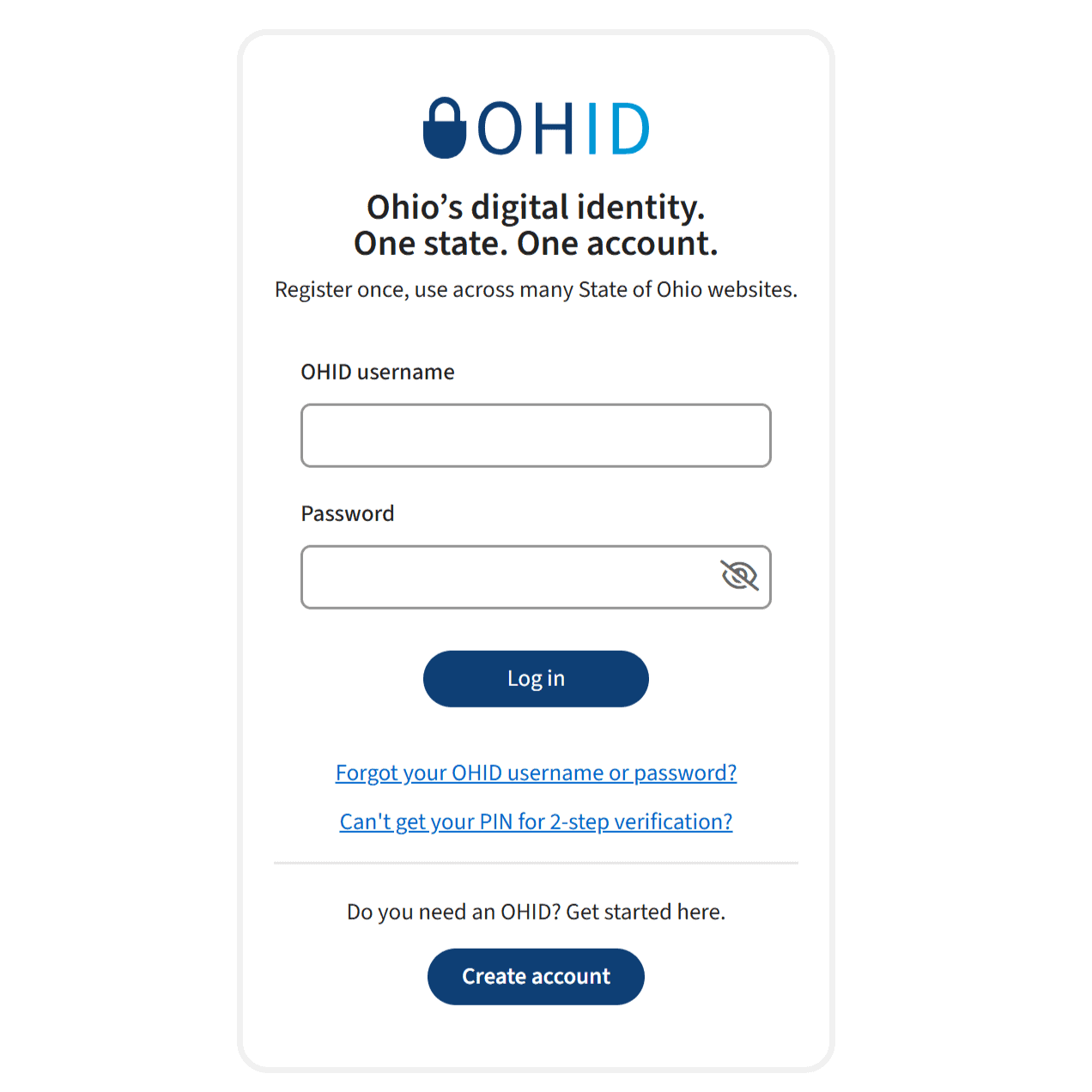
OHID is a free, secure login used to access Ohio government websites, including the Ohio Benefits portal. You will need one to complete your preschool eligibility application.
Before you begin
You'll need an email address
- Don't have an email address? Free email accounts are available through Gmail, Microsoft, AOL, and Yahoo.
- Tip: Use an email address you check regularly — this is where you will receive alerts about your application.
To create your OHID account:
- Go to ohid.ohio.gov
- Click "Create Account"
- Enter your email address and verify it with the one-time code that is sent to you
- Enter your legal name and date of birth
- Create a username and password — write these down and keep them somewhere safe
- Add a recovery phone number (recommended)
- Accept the Terms & Conditions
- Check your email for a confirmation link and click it to finish
Tips and Support
- Already have an Ohio Benefits account? You can link it to your new OHID. After logging in, select "Access My Benefits" then "Link My Case." It takes about 24 hours to complete.
- Locked out of your OHID? Call 1-844-640-OHIO (6446) for help, or try creating a new account with a different email address.
- Do you want in-person support? Visit the FAQs for a list of sites throughout Cuyahoga County where in-person support is available.
Need a paper application?
The paper application is recommended if you do not have a Social Security Number, are experiencing homelessness, or are undocumented.
Step 2
Apply for Preschool Funding
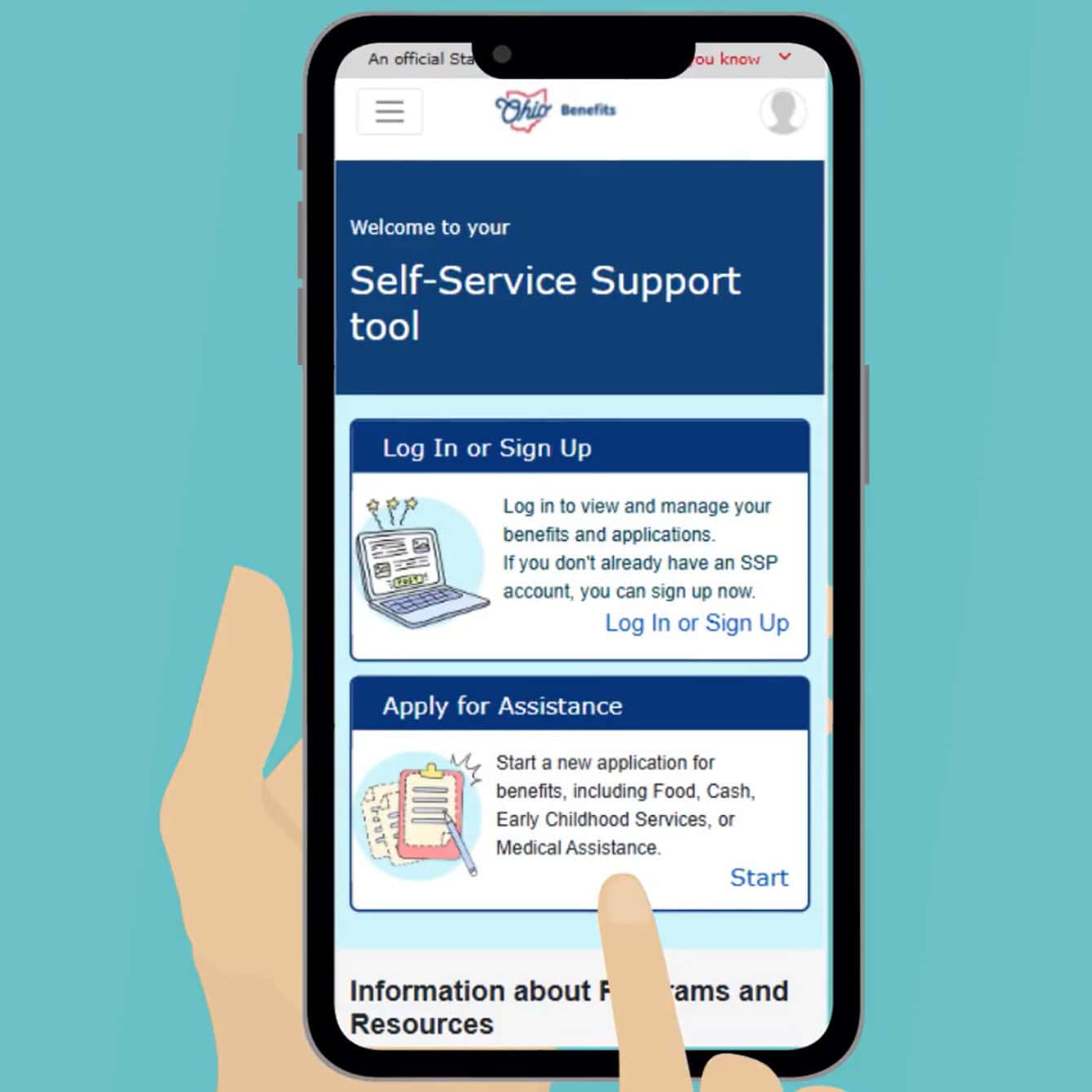
Once you have your OHID account, you are ready to apply for preschool funding through the Ohio Benefits Self-Service Portal (OBSSP). The Ohio Preschool Program (OPP), Publicly Funded Child Care (PFCC), and the Child Care Choice Voucher (CCCV) all help cover the cost of your child's preschool seat.
NOTE: PFCC and CCCV funding is available for children ages birth through 12
Before you begin
Gather these documents
You will have a much easier time completing your application if you collect these items before you start.
Not every family will need everything on this list — read through and gather what applies to you.
For your child
- Birth certificate, passport, green card, or notarized translated birth certificate
- Social Security Number (if they have one)
Need help getting these documents? Check out PRE4CLE’s Enrollment Guide
If Your Child Has Special Circumstances
(bring whichever applies)
- IEP: Signature page only
- Exiting Early Intervention: IFSP signature page
- Foster care: Court order, case plan, or PCSA custody documentation
- Kinship care: Case plan, family service plan, or proof of KPIP payments
For you (the guardian)
- Social Security Number (if you have one)
- Valid photo ID: driver's license, state ID, passport, or green card
- Email address and phone number
Proof of where you live: Utility bill, lease agreement, or mortgage statement
- Proof of Income (bring whichever applies to you)
- Pay stubs from the last 30 days: 2 if paid bi-weekly, 4 if paid weekly, 3 months if income varies
- Gig work earnings statements (Uber, DoorDash, Instacart, etc.)
- Tax records or Schedule C (if self-employed)
- Award letters: Social Security, SSI, pension, disability, veterans' benefits, unemployment, etc.
- Child support documentation
- No income? You will complete a short statement as part of the application — no separate document needed
- Social Security Number (if you have one)
- Valid photo ID: driver's license, state ID, passport, or green card
- Email address and phone number
Proof of where you live: Utility bill, lease agreement, or mortgage statement
- Proof of Income (bring whichever applies to you)
- Pay stubs from the last 30 days: 2 if paid bi-weekly, 4 if paid weekly, 3 months if income varies
- Gig work earnings statements (Uber, DoorDash, Instacart, etc.)
- Tax records or Schedule C (if self-employed)
- Award letters: Social Security, SSI, pension, disability, veterans' benefits, unemployment, etc.
- Child support documentation
- No income? You will complete a short statement as part of the application — no separate document needed

Additional information
Information About Your Child's Preschool
- Preschool or child care program name
- Program license number: ask the preschool directly or visit childcaresearch.ohio.gov
- Program address
Don't have a preschool yet? Visit our enrollment page to find one near you before you apply.
Optional but Recommended
Release of Information form: allows your preschool to check on your application status with the county. Ask your preschool for a copy.
Want in-person support?
Visit the FAQs page for a list of sites throughout Cuyahoga County where in-person support is available.
To apply online:
- Go to ssp.benefits.ohio.gov and log in with your OHID username and password
- Select "Apply for Benefits"
- Check the box for "Child Care Assistance"
- Complete all required sections
- Upload your supporting documents
- Review and submit your application
Tips and Support
Want to apply for preschool funding only — not other child care programs? Upload the Early Care and Education Services Selection Form with your application. This tells the county to only review your child for preschool funding.
Do you want in-person support? Visit the FAQs for a list of sites throughout Cuyahoga County where in-person support is available.
Need a paper application?
The paper application is recommended if you do not have a Social Security Number, are experiencing homelessness, or are undocumented.
Step 3
Watch for a Response from Cuyahoga County
Tips and Support
Sign up for text and email alerts in your Ohio Benefits account so you don't miss anything.
After you submit your application:
- The county has up to 30 days to determine eligibility
- You will receive a Verification Request Checklist by mail if any documents are missing
- Respond to that checklist as quickly as possible — you have 30 days from your original application date to submit all required documents or your application may be denied
- Watch for updates by mail, email, and in your Ohio Benefits account
Step 4
Wait for Authorization
Tips and Support
If you are approved and your child has already started attending, your benefits may be backdated to the date your application was received.
Once you have completed the Ohio Benefits application:
- Cuyahoga County will notify you of your eligibility determination
- When approved, your child's school will be authorized to receive preschool funding on your child's behalf